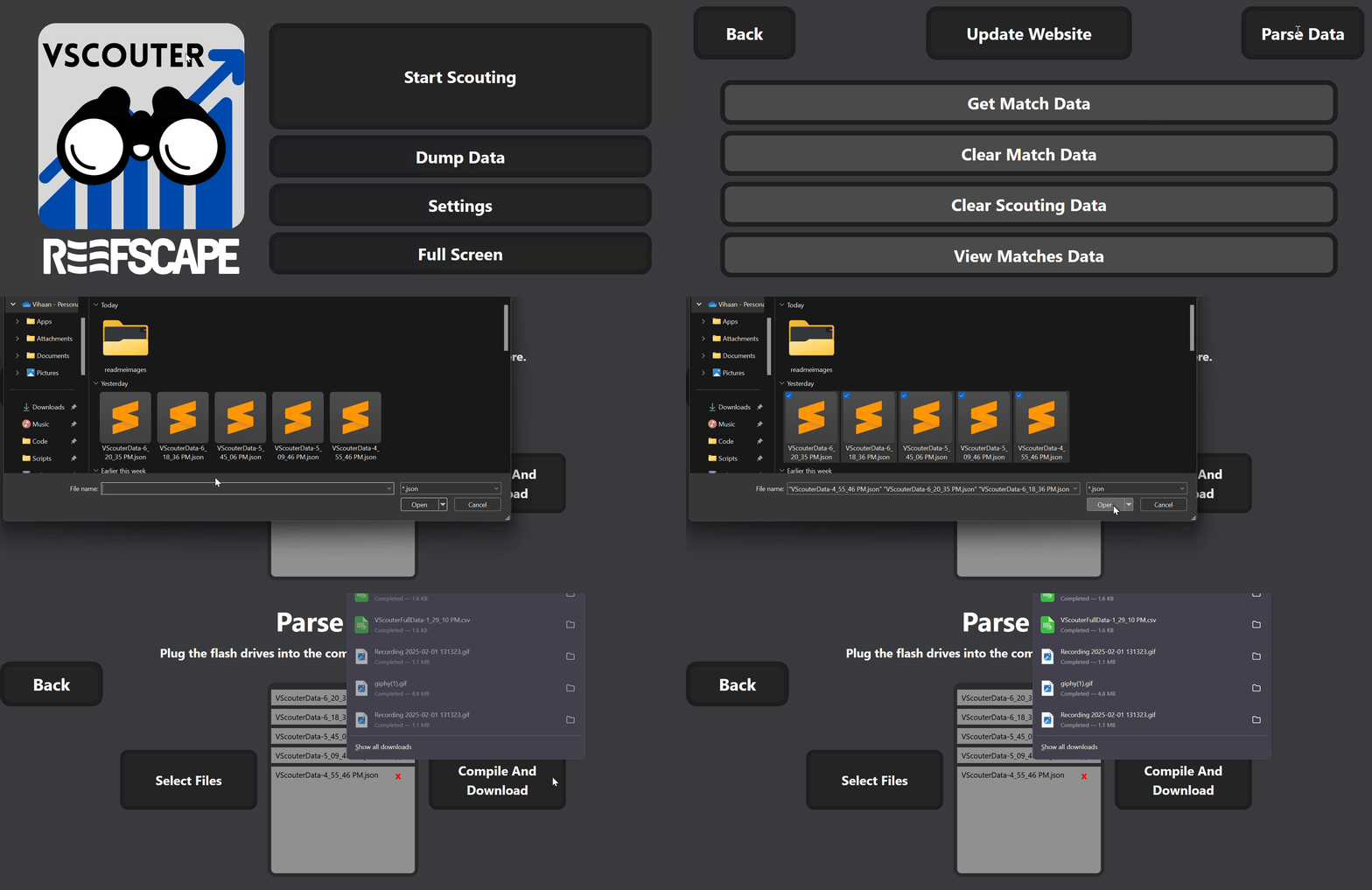
Parsing Data
Use this video for a visual overview on how to parse and collect your data:
To get to the parsing data page, click the
Settingsbutton, and thenParse Data.To select the data that was scouted, plug the USB flash drive in with the collected data, click the
Select Filesbutton, and select all of the JSON data. This will add the files in a list to the right. If a file needs to be removed, thexbutton can be clicked next to the file names.To combine this data into a CSV format, click the
Compile and Downloadbutton. This will download a CSV file with the inputted data.Feed this CSV file into the data analysis software.